Case Study: Meta
Ads manager high cost/low audience sizeRole: Lead Product Designer
How do we help advertisers get more reach while paying less?Meta’s Ads Manager allows customers to spend placement budget on Facebook, Instagram, WhatsApp, and other properties. It is the primary way Meta generates revenue.
The main ad management flow enables ad creatives to be housed within different audience types across region, demographic and other criteria within ad sets and campaigns.

My team created ads advice by interjecting information messages that would show up inline within the experience, as appropriate to the flow. Users could turn off the functionality wholesale or choose which types of advice they’d sign up for. Oftentimes our advice exceed the expectations and contributed to an ever-large share of ad revenue by virtue of its success.
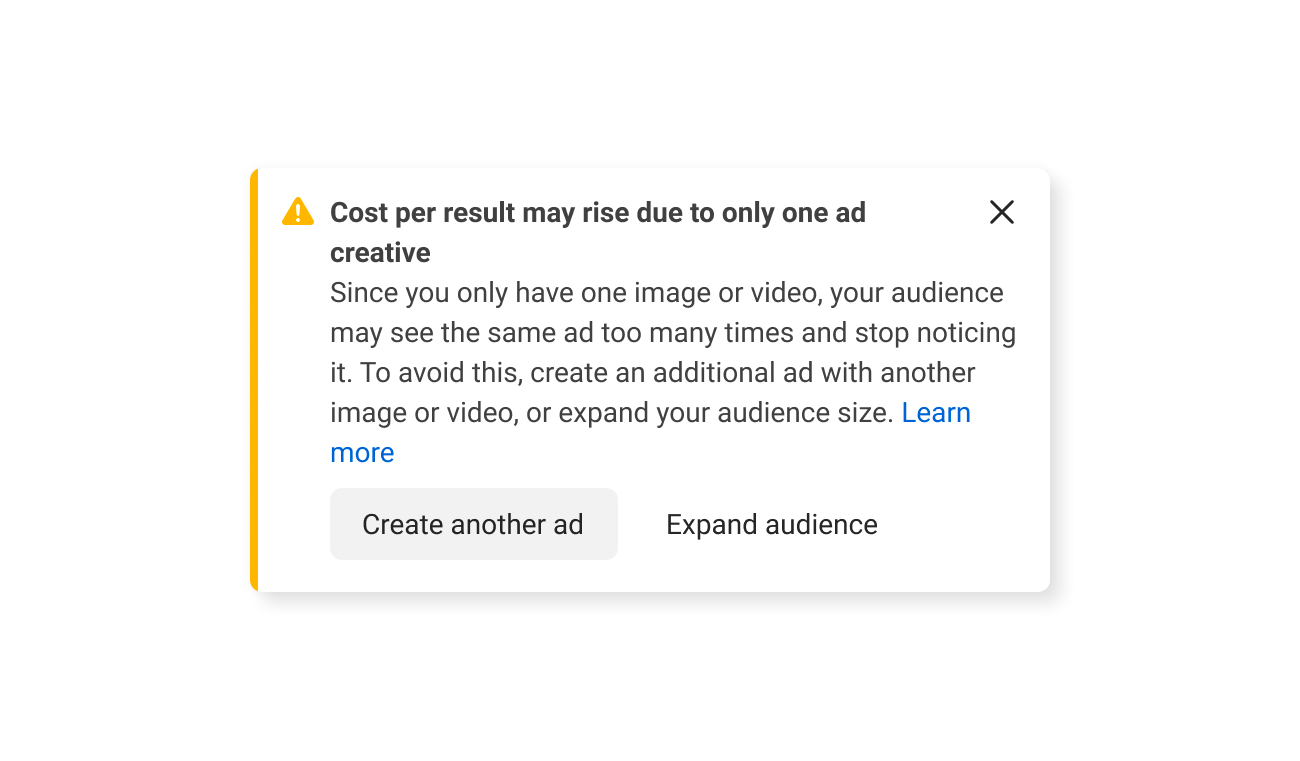
In my IC Lead role I designed for audience expansion. My team built experiences that surfaced from data-based suggestions across different facets of campaigns using an interface generated using ML/AI. For instance, specifics about an audience makeup could appear for a single ads manager customer based on levers they could possibly use to consolidate and expand reach across all ads in multiple campaigns.
Planning for research was done ahead of time, with research happening in the live environment for 2 percent of total users.
Design had to be done in 6 weeks with two design review gates by peers in related and unrelated areas of Ads Manager. There were about 400 designers working in ads alone.
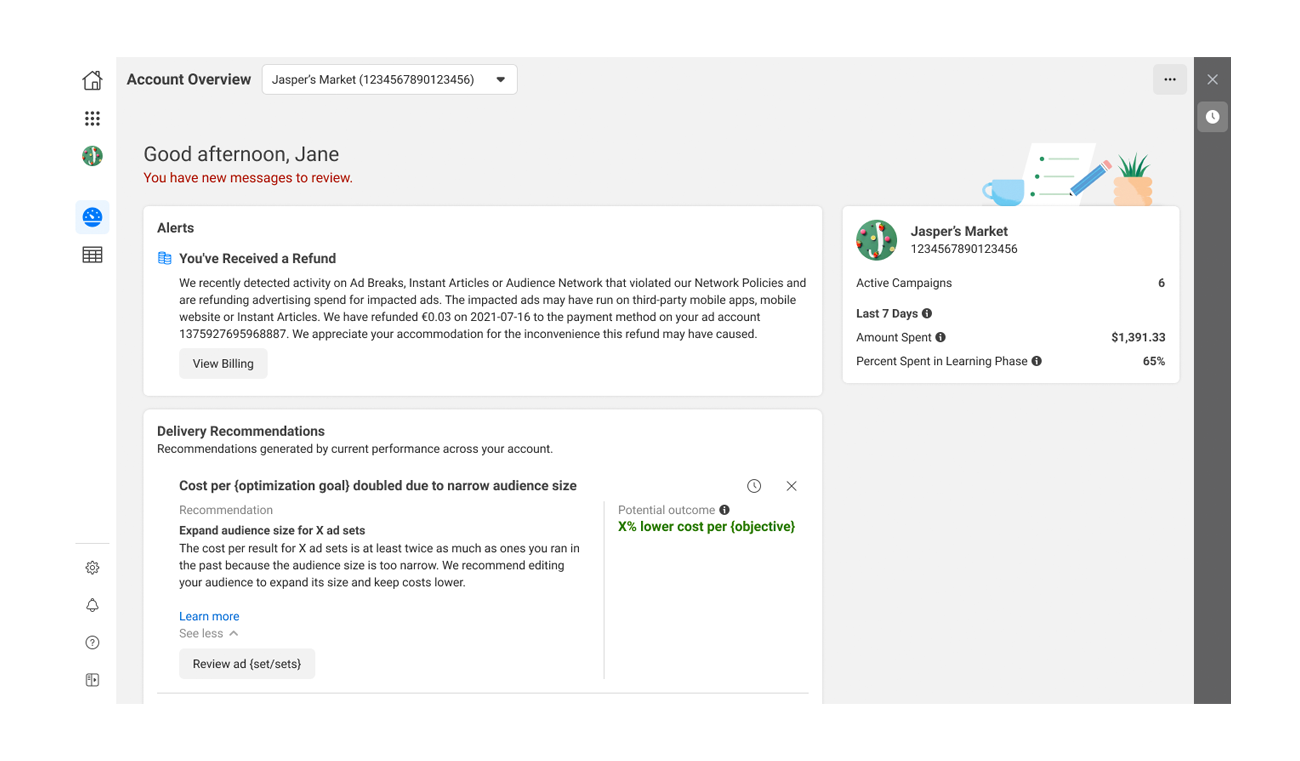
The "start your day" home view
All work was done in a templatized way that fit within existing design systems and patterns. Anything that deviated from the norm required explanation and good reason.
The high cost trigger for audience expansion presented with a good reason to change direction. The previous version prompted users to simply go back to the top level of the campaign management list to change settings across any number of campaigns.
Although it mentioned which campaigns needs changing, no specifics were given and there was no facility to make changes across multiple campaigns in one go.
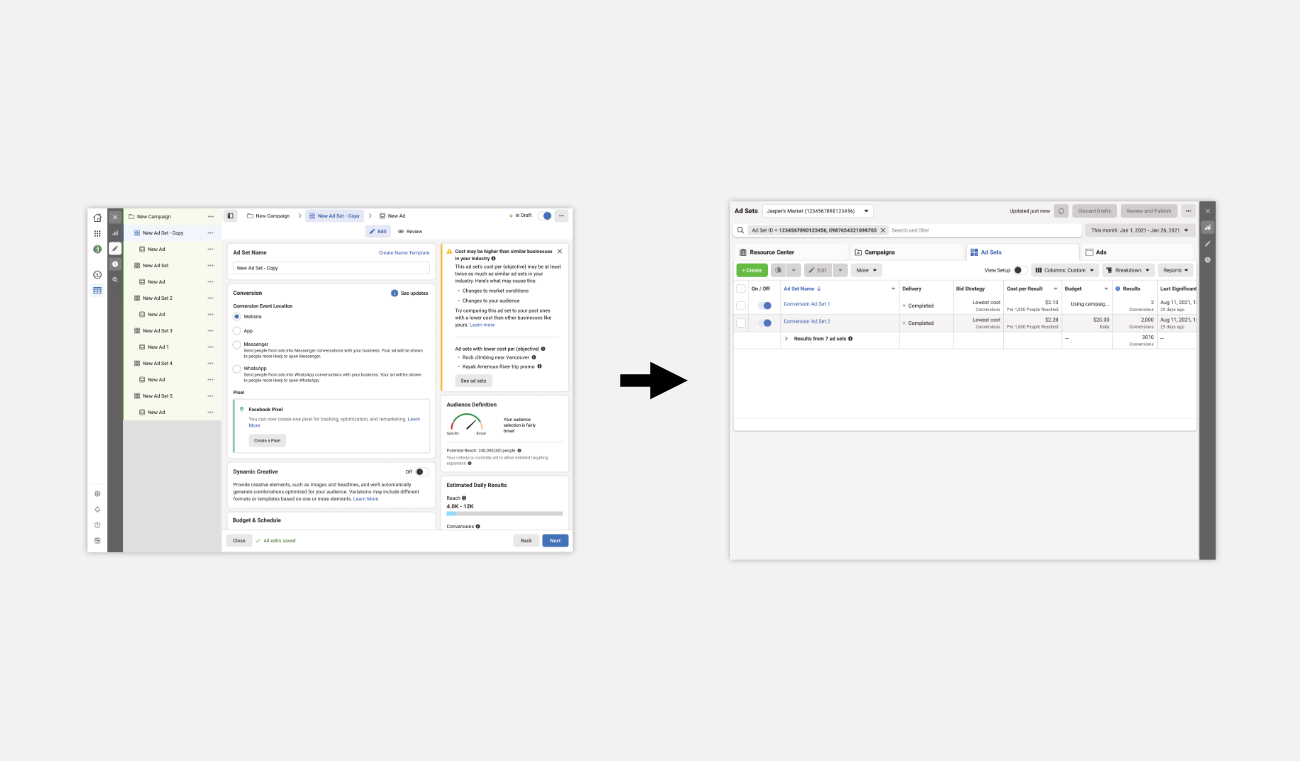
The previous experience dumps you out into the a table view.
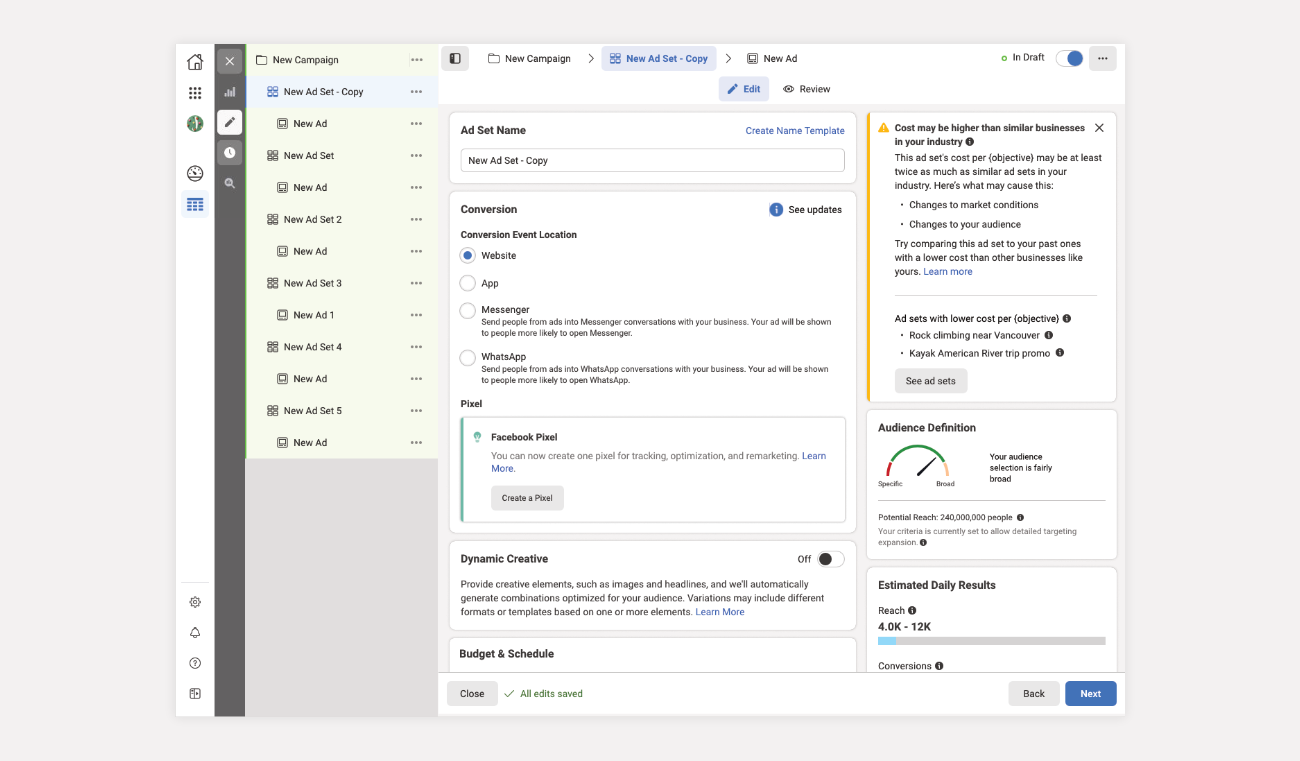
The suggestion is too much to digest
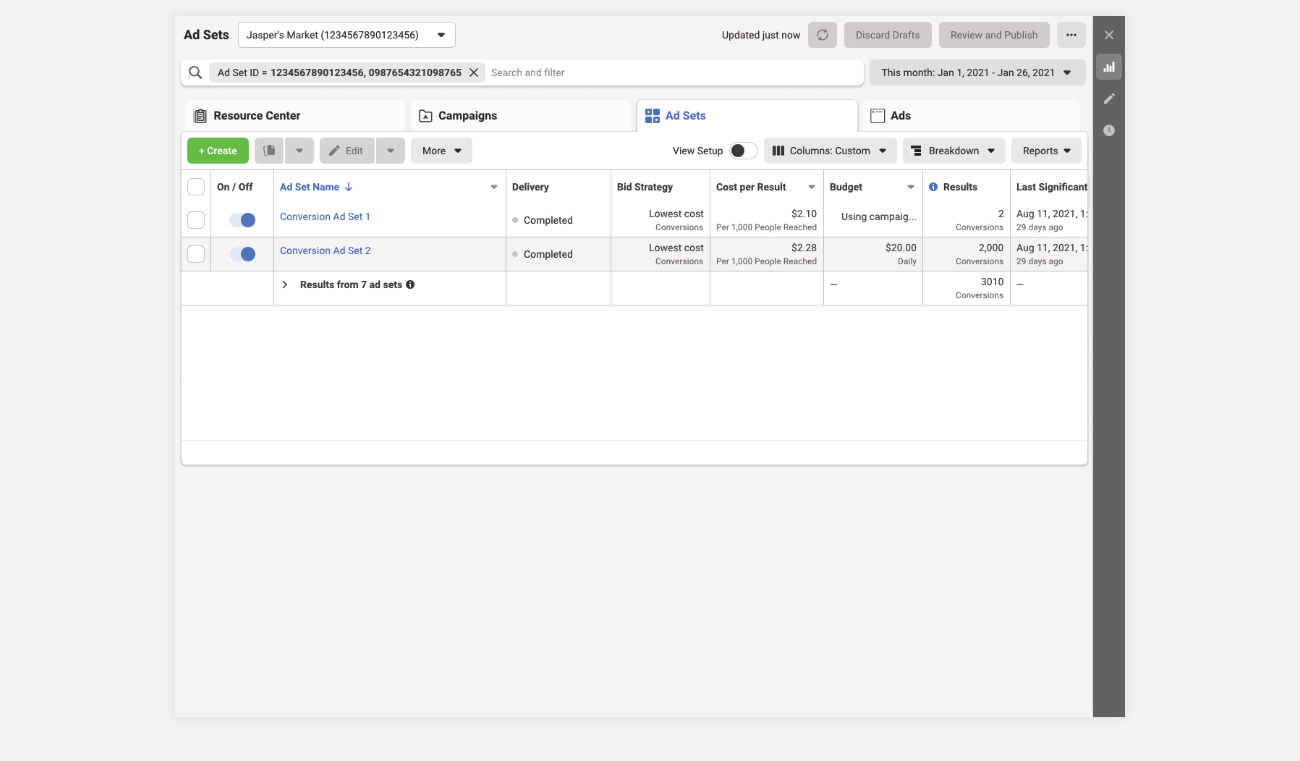
People are likely to forget what was suggested
I met with the team to understand how well it performed, suspecting it didn’t do well at all. It didn’t.
I wanted to advocate for an approach (and some backup plans) that gave the most amount of flexibility , with the easiest path, while providing the right context for people to understand how to use or dismiss the feature wholesale.
I presented four possible paths to the team in order of preference:
- Bottom sheet
- Card to inline card
- Assist and suggest
- One-click auto-populate
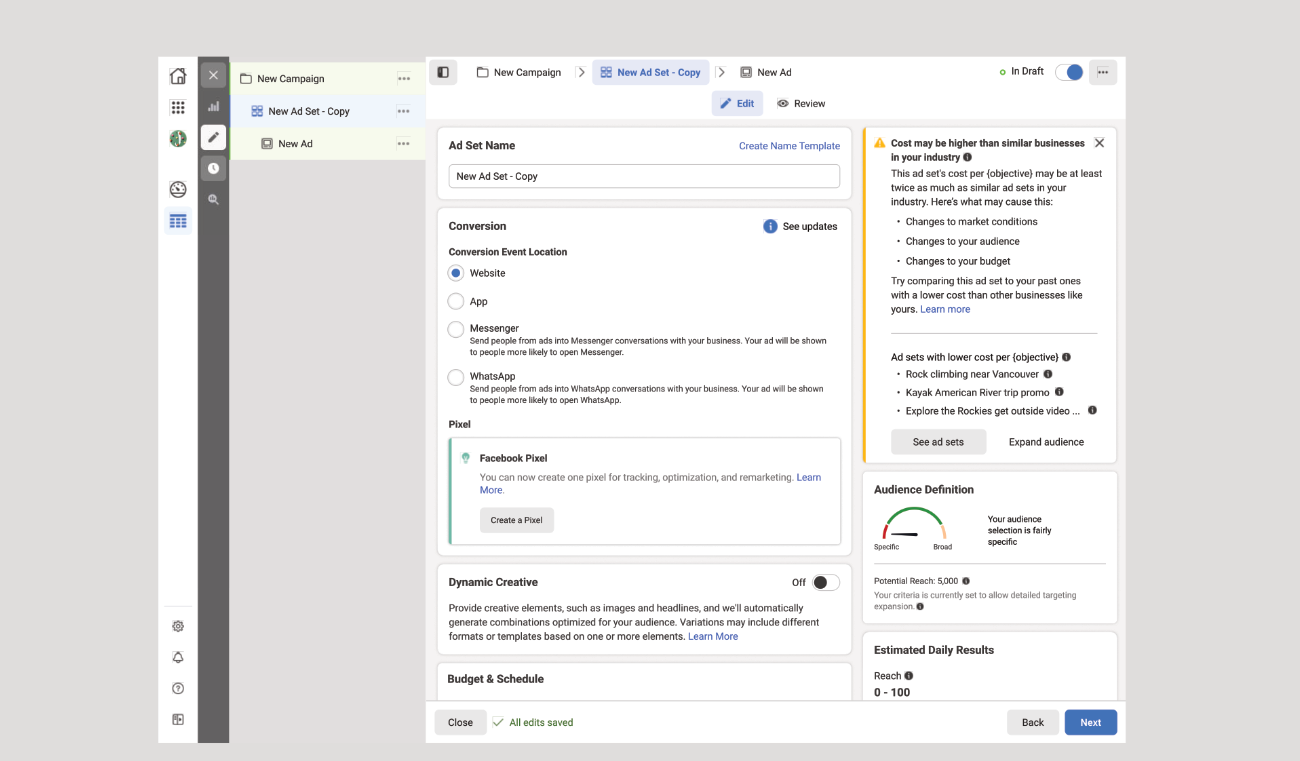
Each of the scenarios starts with the same entrypoint
Bottom sheet–This option offers the most flexible configuration options across the most campaigns and ad sets in one go with clear instruction, a facility to show the user exactly what they are getting, and the ability to cancel without confusion.
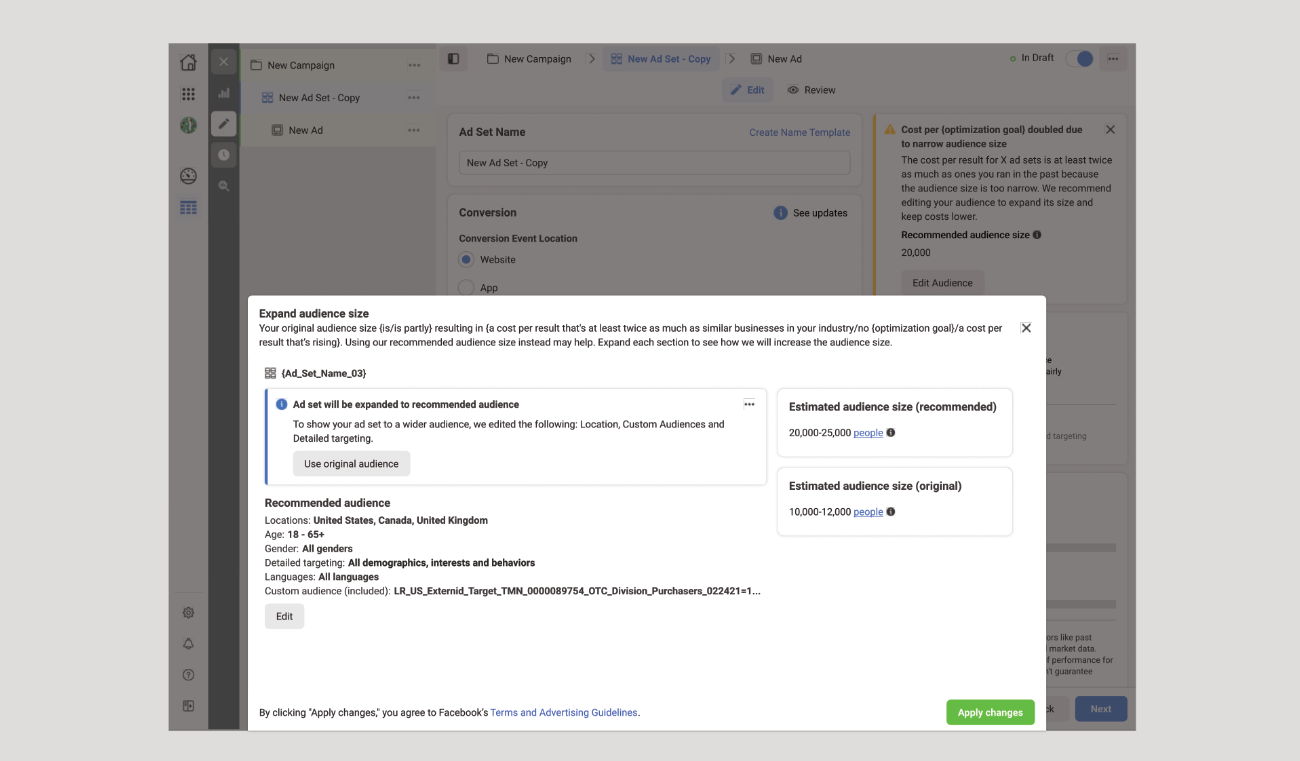
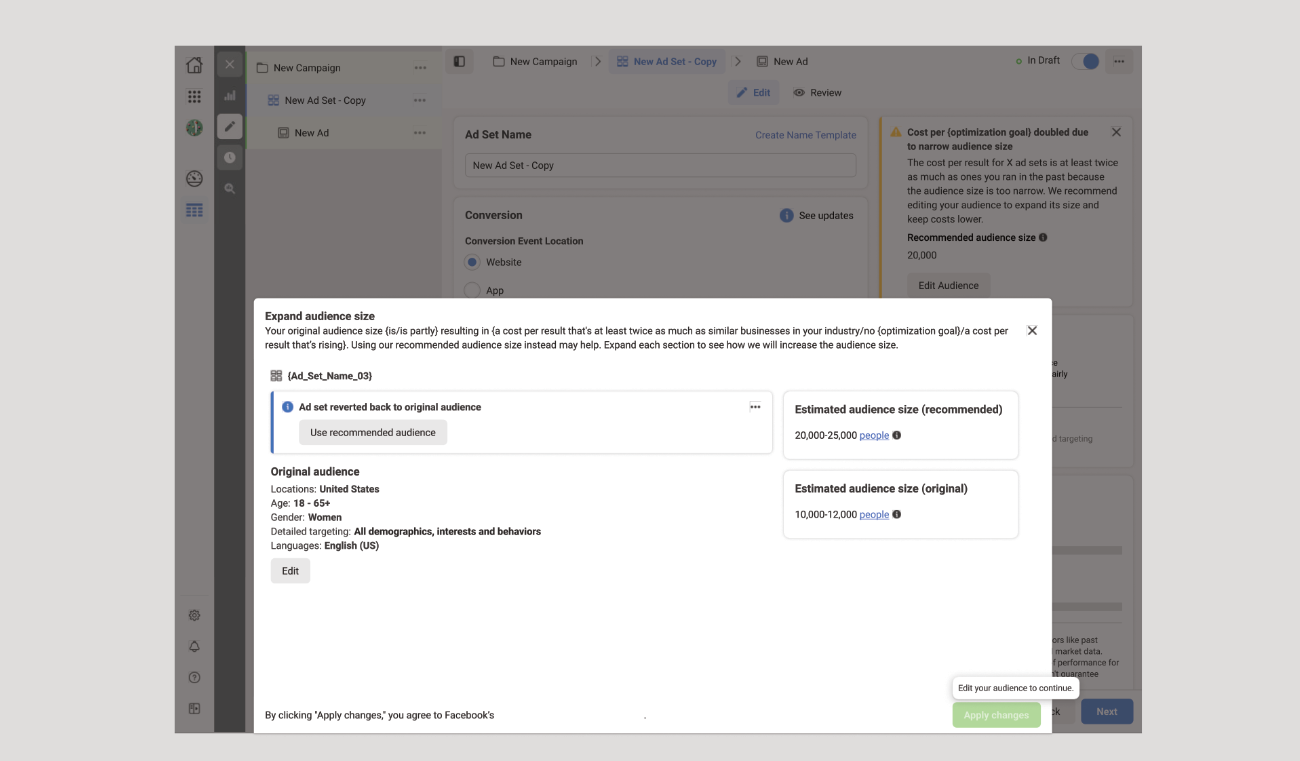
The bottom sheet creates a temporary context in which to work across campaigns
Card to inline card – The user taps the CTA in the right guidance card and is then taken to the Audience area. The Right- rail guidance card will disappear and the inline card will appear with functionality to take the recommendation and revert, along with the existing functionality to edit.
Benefits: It’s completely obvious what and where a user is making a change and we are giving them the facility to expand, revert and edit in the place they would expect it.
Drawbacks: Two cards is odd and I would expect one card. Could we have the “Use recommended audience” and “revert” functionality in the right rail card or is that not expected?
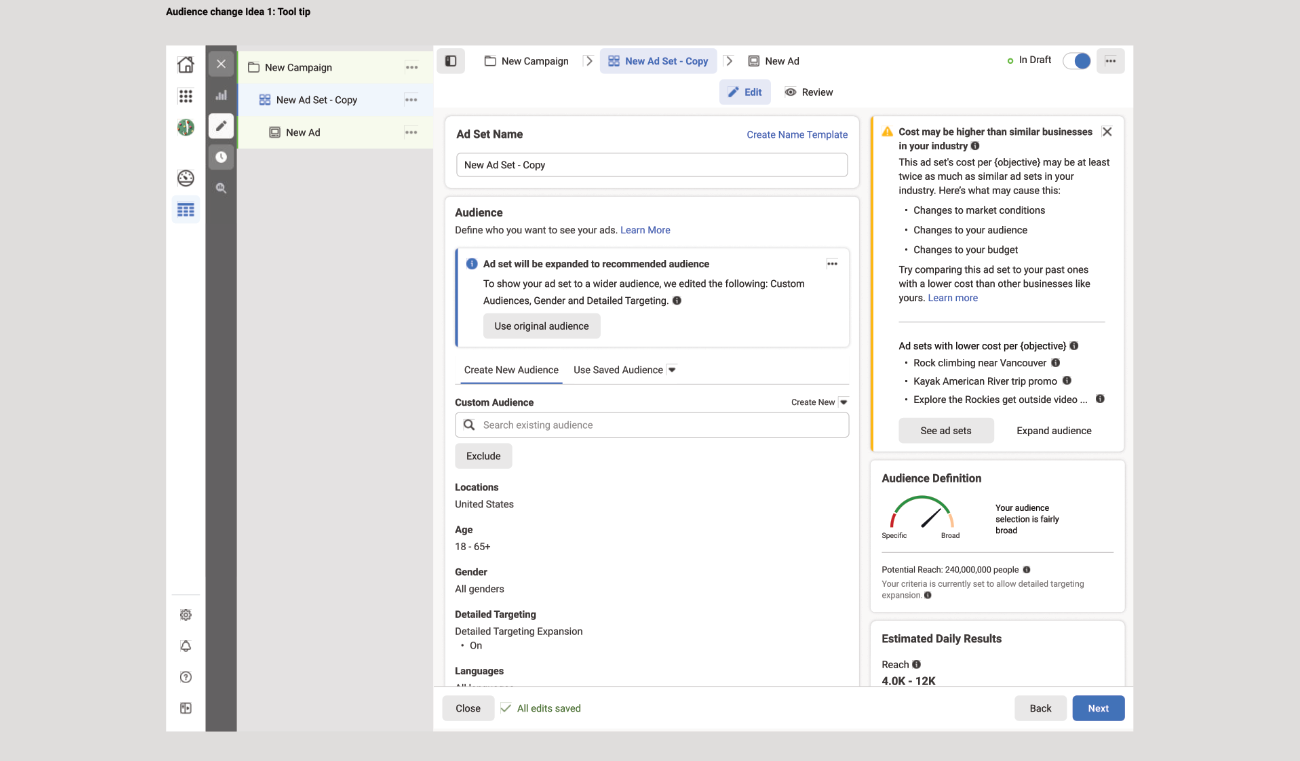
The actions aren't in the right place
Assist and suggest –Instead of making the changes for the advertiser, they are taken to the part of the form where they are prompted to expand their audience. This could be useful to the user, but not necessarily directly measurable.
Benefits: You bring the user to the part of the form where they need to change the information and tell them what information they might change.
Drawbacks: The more you make people do, the more they’ll drop-off
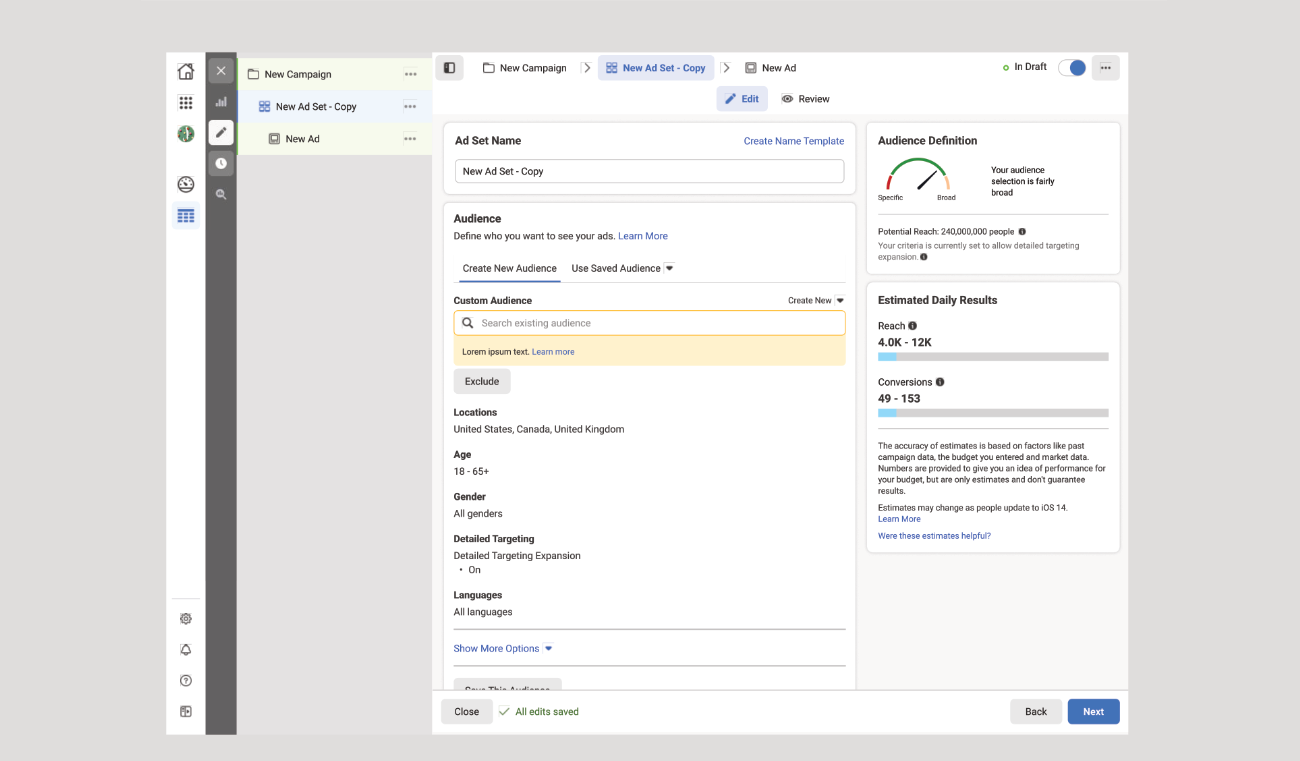
It's a lot of work
One-click auto-populate– The user taps on the button in the inline card, the form is automatically scrolled to the audience part of the form and it populates the information. The guidance card then disappears.
Benefits: When a user clicks on a button, it happens.
Drawbacks: Lack of feedback for what’s changed or a way to undo the change.
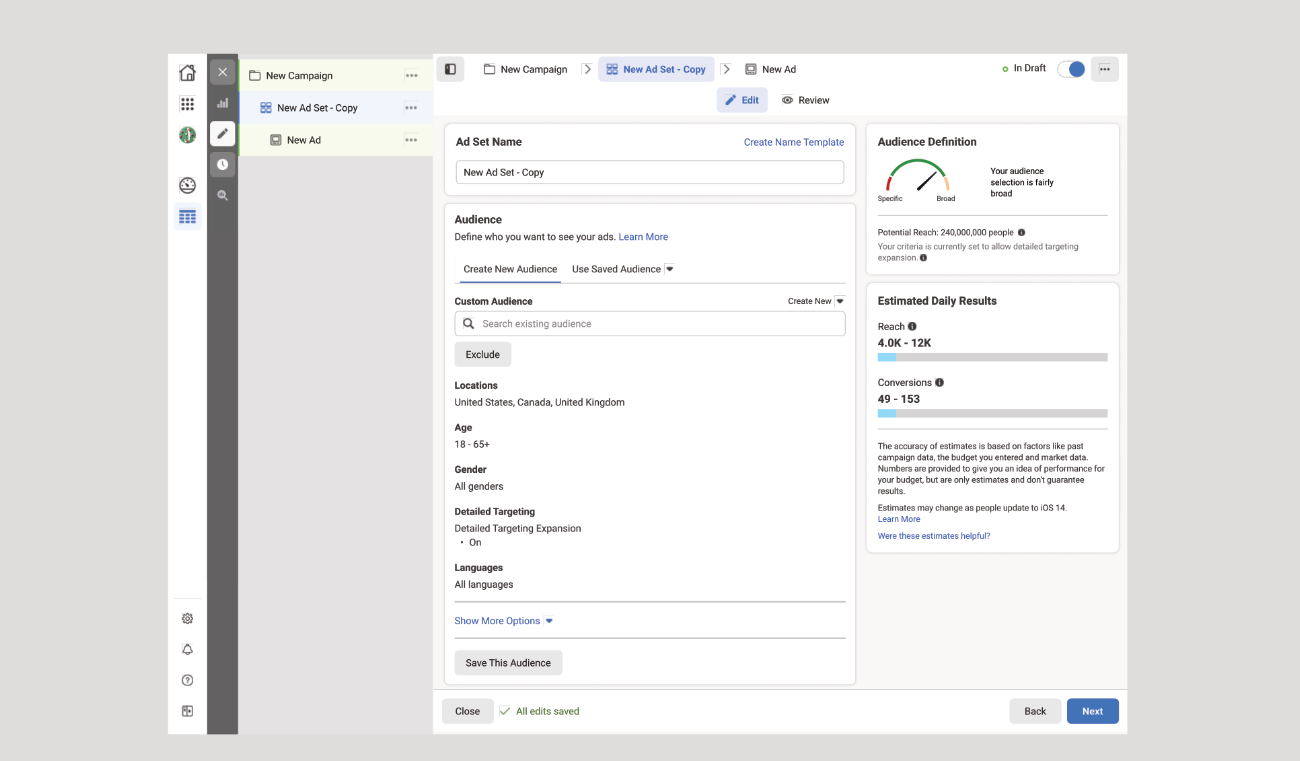
It does something, but you're not quite sure what
The team agreed that the first option would offer the best experience and it was developed as an experiment with 2 percent of the user base. The criteria for success was 1 percent increase in revenue over a two week span and if it worked, it would get rolled out to all possible customers. If not, it would be decommissioned and the approach reconsidered for the following half year increment.
The approach and initial release met the objective and was rolled out successfully.
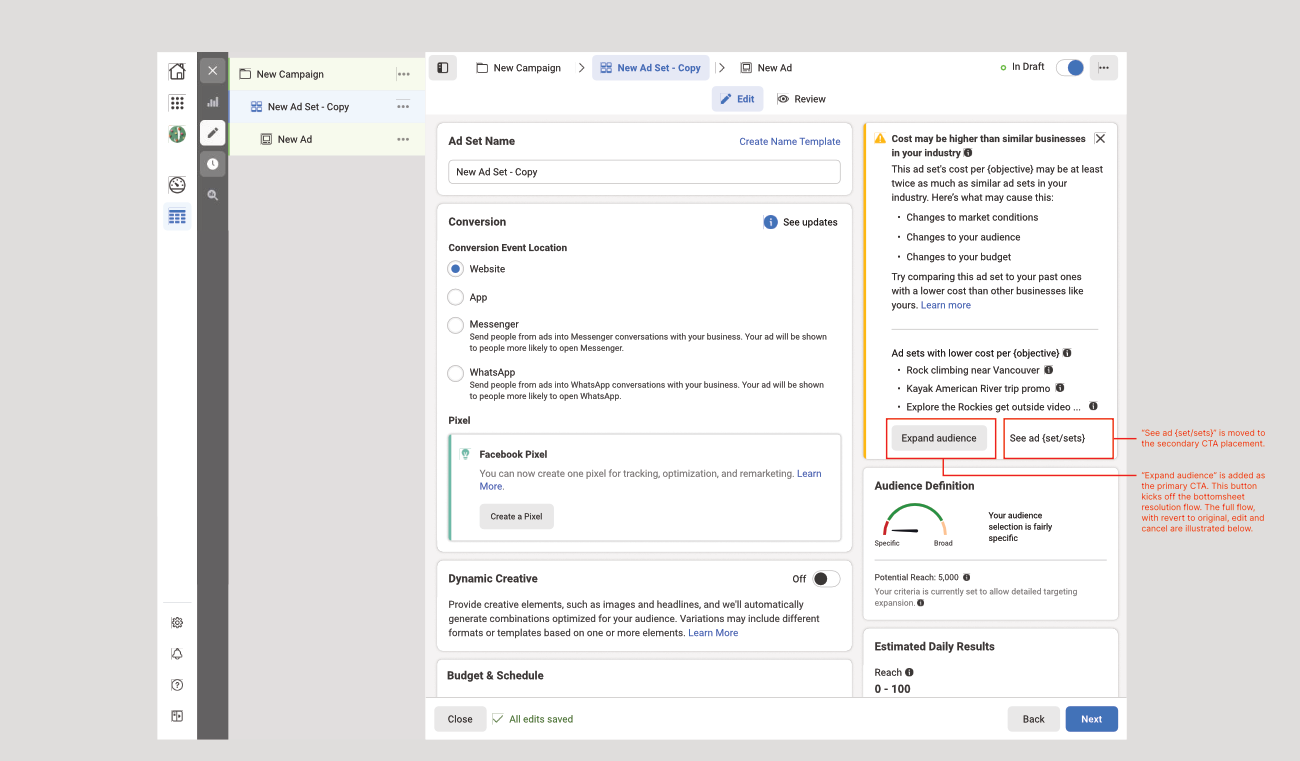
The primary action leads to the bottom sheet, the secondary action will show the affected ad sets.